Bring the song
WAV, SUNO lyrics, style and references form the starting point.
 VOCAVID
LOCAL AI MUSIC VIDEO WORKFLOW
VocaVid connects your song, lyrics and ComfyUI in a visual workflow you do not just launch — you control it.
Local. Resumable. Open source.
NO BLACK BOX
VocaVid breaks your lyrics into reviewable moments. You build a narrative, inspect every scene, regenerate weak clips — and keep the good results.
WAV, SUNO lyrics, style and references form the starting point.
Lyrics are aligned in time and turned into a visual plan.
Prompts, images and clips are created segment by segment in ComfyUI.
Review, protect and edit clips, then export video or reels.
CASE STUDY 01
The opening of a dystopian series: cold systems, signal interference, a world just before it deviates. The finished film was created scene by scene in the VocaVid workflow.
Open showcase →Systemfehler 01 · final export
BUILT FOR ITERATION
Review timing, scenes and media before individual clips become a film.
A clip does not fit? Regenerate that section only — without losing the rest.
Project state, media and render jobs stay on your system and your GPU.
Edit finished videos, find vertical reel candidates and export variants.
THE WORKSHOP
VocaVid coordinates a production that would otherwise be spread across many separate tools.
Read the documentation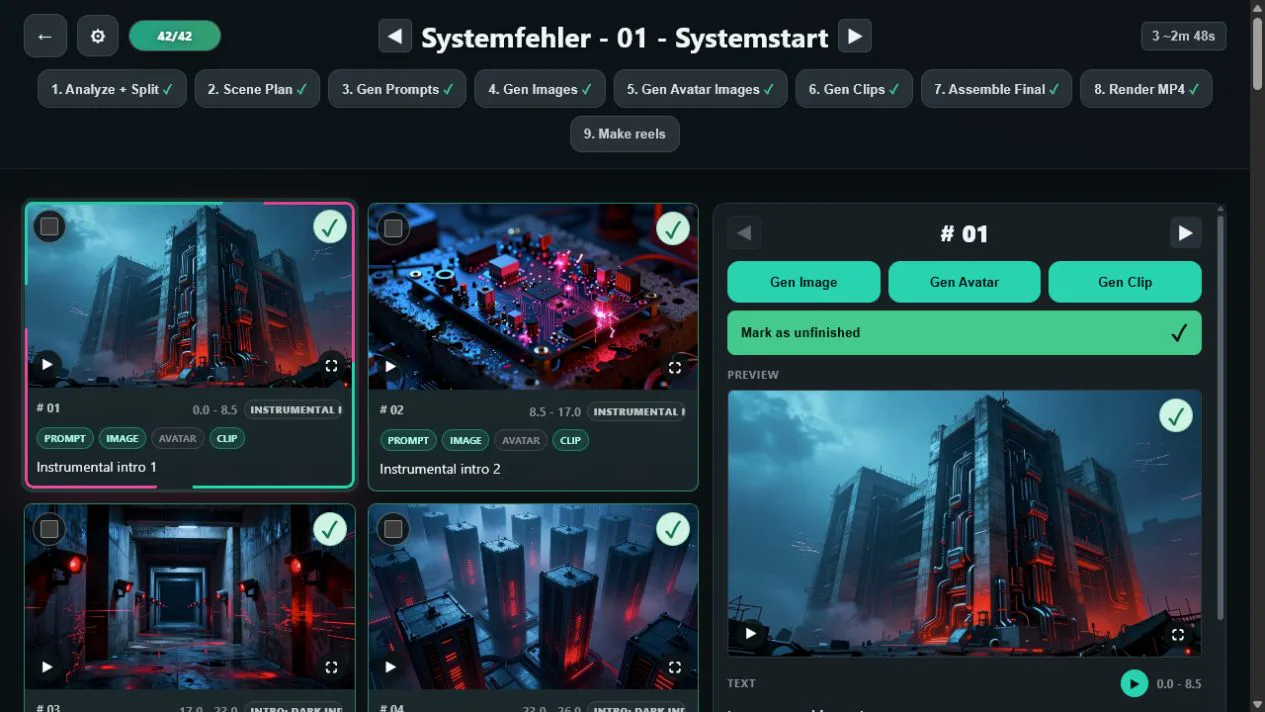
WINDOWS INSTALLER
The direct way to get started on Windows: install locally and turn your song into a video, step by step.
READY WHEN YOU ARE
If VocaVid helps you, you can support its development.